
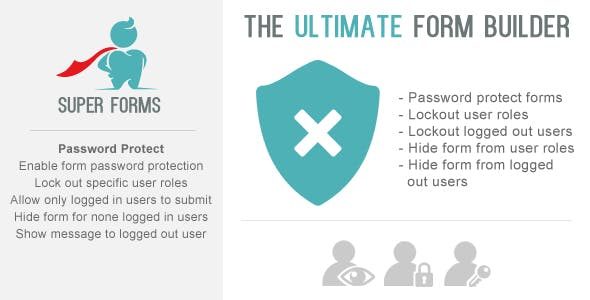
Super Forms: Password Protect & User Lockout & Hide Add-on v1.4.0
₹299.00
Get Super Forms: Password Protect & User Lockout & Hide Add-on v1.4.0 — premium WordPress plugin with all features unlocked under GPL license.
Super Forms – Password Protect & User Lockout & Hide Add-on secures submissions by password and hides forms from guests or selected user roles, with targeted messages for access or denial. As a WordPress add-on, it integrates smoothly for quick setup, improving security and user experience without extra complexity. Explore protected forms today.
Key Features
- Fully GPL licensed — use on unlimited websites
- All premium features unlocked
- Latest version 1.4.0 with bug fixes and improvements
- Regular updates for compatibility
- Clean, optimized code for fast performance
- Developer-friendly with full documentation
What’s Included
- Super Forms: Password Protect & User Lockout & Hide Add-on v1.4.0 — original plugin files
- Clean GPL licensed copy
- All premium features enabled
- Unlimited website usage
System Requirements
- WordPress 6.0 or higher
- PHP 7.4 or higher (PHP 8.x recommended)
- MySQL 5.7 or higher
- Minimum 64MB PHP memory limit
How to Install
- Download the plugin ZIP file from your account
- Go to WordPress Dashboard → Plugins → Add New → Upload Plugin
- Choose the downloaded ZIP file and click Install Now
- Activate the plugin after installation
- Configure settings from the plugin menu in your dashboard
Frequently Asked Questions
Is this the original plugin?
Yes, this is the original Super Forms: Password Protect & User Lockout & Hide Add-on plugin distributed under the GPL license. You get the exact same code with all premium features accessible.
Can I use this on multiple websites?
Absolutely. The GPL license allows you to install and use this plugin on unlimited websites — personal, client, or commercial projects.
Will I receive updates?
Yes, we regularly update our plugins to the latest versions. You will always have access to the most current version of Super Forms: Password Protect & User Lockout & Hide Add-on.
Do I need a license key?
No license key is required. The plugin works fully without activation. Some automatic update features may require manual updates instead.
What does GPL license mean?
The GPL (General Public License) is the license WordPress itself uses. It allows free modification, distribution, and use on unlimited sites. This is 100% legal and compliant with WordPress licensing.

Reviews
There are no reviews yet.